Firestick IPTV · Belgium Setup Guide
IPTV Firestick Belgium — Setup Guide & Best Apps 2026
Stream Belgian channels, sports and VOD on Amazon Firestick. Setup takes under 10 minutes with IPTV Smarters or TiviMate. Works on all Firestick models from Lite to 4K Max.
Setup Guide
How to use IPTV on Amazon Firestick in Belgium
Amazon Firestick is the most popular IPTV device in Belgium because it is affordable, easy to set up and produces excellent results with any Belgian IPTV subscription. The setup process takes under 10 minutes even for first-time users. All you need is a Firestick plugged into your television HDMI port, a working Wi-Fi connection and your IPTV subscription credentials from us.
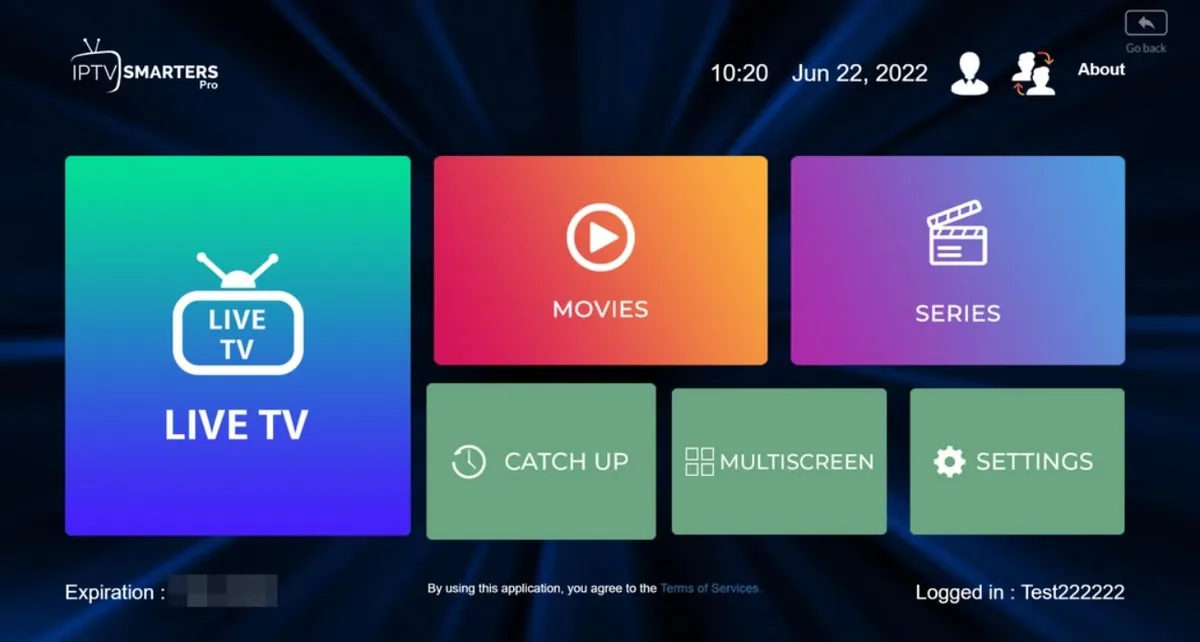
The two most recommended apps for Firestick IPTV in Belgium are IPTV Smarters Pro and TiviMate. IPTV Smarters is free and works well for beginners. TiviMate offers more advanced EPG features and is preferred by users who watch a lot of live sports and want catch-up functionality. Both apps load your M3U playlist from our servers and display all Belgian channels within seconds of setup.
For users who want to install apps not available directly in the Amazon App Store, the Downloader app from Amazon allows you to sideload APK files safely. Our WhatsApp support team provides direct download links and step-by-step instructions for every app at no extra cost.
Step 1
Enable Unknown Sources
Go to Firestick Settings, then My Fire TV, then Developer Options. Enable Apps from Unknown Sources to allow app sideloading when needed.
Step 2
Install IPTV App
Search for IPTV Smarters Pro directly in the Amazon App Store. For TiviMate, use the Downloader app and the APK link provided by our support team.
Step 3
Load Your Playlist
Open the app and choose M3U URL login. Enter the server URL, username and password sent to you via WhatsApp after activation. Your channels load instantly.
Firestick Models
Which Firestick works best for IPTV Belgium?
Recommended
Firestick 4K Max
The best Firestick for IPTV. Wi-Fi 6 support, faster processor and 4K HDR decoding make it ideal for Premium plan subscribers.
Good Choice
Firestick 4K
Excellent 4K performance at a lower price. Handles all IPTV apps smoothly and supports Premium 4K streams without issues.
Standard Use
Firestick Lite / HD
Limited to 1080p but works perfectly with the Standard UHD plan. A budget option for bedrooms or second TVs.
Standard
20,000+ UHD channels, VOD & full device support
- 1 month€25
- 3 months€35
- 12 months€49
- 2 devices (12M)€79
- 3 devices (12M)€119
- 20,000+ UHD channels
- 150,000+ VOD titles
- All devices supported
- Instant activation
- 24/7 WhatsApp support
Premium
45,000+ 4K channels, EPG & 7-day catch-up
- 1 month€29
- 3 months€45
- 12 months€69
- 2 devices (12M)€109
- 3 devices (12M)€149
- 45,000+ 4K channels
- 150,000+ VOD titles
- EPG + 7-day catch-up
- Anti-buffering tech
- Priority WhatsApp support
FAQ
Questions about IPTV Firestick Belgium
Try IPTV Belgium free for 24 hours
No credit card needed. WhatsApp us and your trial is live in minutes.